

From viral trends to the internet's deepest rabbit holes, explore the best (and worst) of the World Wide Web. Discover the digital chaos that keeps us clicking. Dive in and see what the internet dragged in -just don't forget to clear your history.


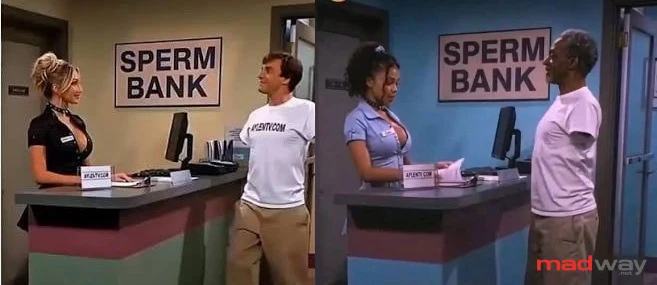
This fucking new trend that's going on that is fucking annoying. An AI video is posted somewhere, maybe got popular or some shit. Next week or so it is recreated with slight changes(face, color, ethnicity). Posted over and over and over. That is actually one thing. Another more annoying part is amount of people believing this is real and you cannot prove them otherwise.
So maybe it's not the AI that's the problem, maybe it's the morons who create them same fake videos and morons who believe it is real?
Some, even go as far as creating profile for their fake AI persona.
Find 10 differences: www.threads.com/share/BASsJA0ixw/
www.threads.com/share/BAbSnDoFcL/
www.threads.com/share/BAVcdbgn4K/
www.threads.com/share/_y-BmWVMQ/
www.threads.com/share/_m5d1kTsQ/
So yea, believe it or not, some people actually send money to this fake profiles(like a fake onlyfans accounts). 😂 At the end of the day, they deserve it, for being gullible idiots.
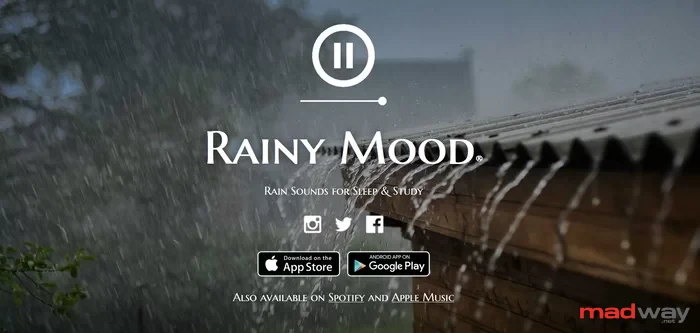
If you wanted to control nature and turn on the rain with a click, this site will give you such an opportunity. The sound of rain creates some kind of strange atmosphere that many people like.
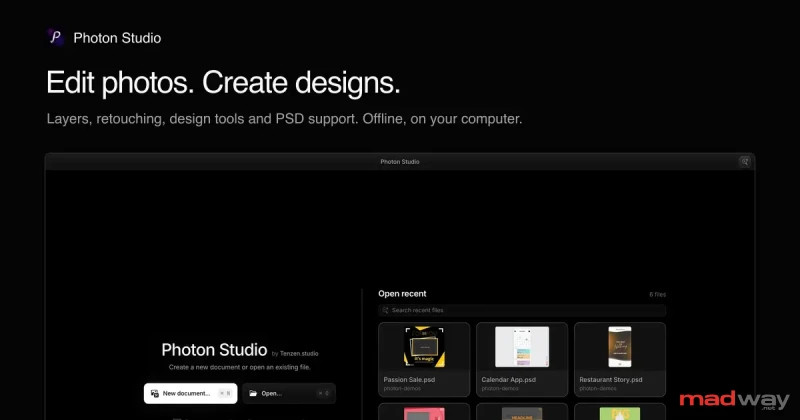
You have a screenshot that needs a headline, a photo with something distracting in the corner, and a Photoshop file somebody sent you. None of these sounds like a big job. You just need an editor that will let you get on with it.
Today we're introducing Photon Studio, our free desktop image editor for macOS and Windows 11.
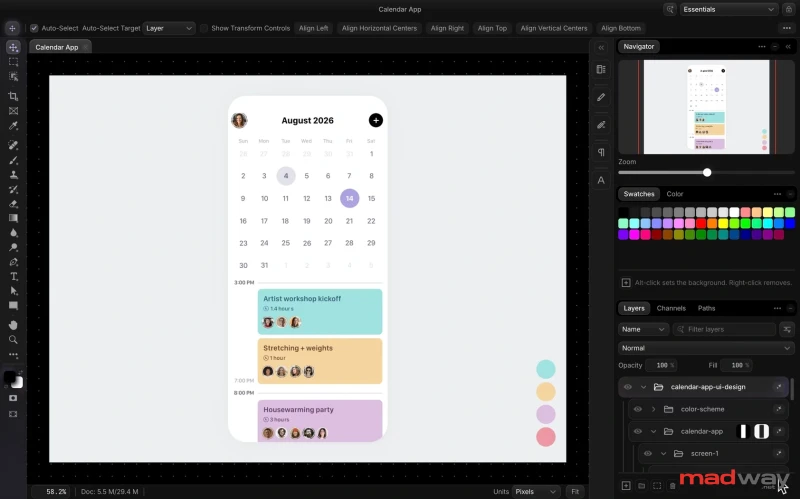
Photon brings together photo editing and design work: layers and masks, text and shapes, retouching, color adjustments, and PSD files. The editing happens on your computer. You can open a file and work without an account, and your image doesn't need to make a round trip to a server.
You can download it for Windows and macOS.
The internet is a home, and the browser is its front door. Some people stick to the same habits for years, while others switch browsers constantly. Let’s take a quick look at the key players.
Chrome (Google)
The de facto standard.
Fast, with a massive library of extensions. Perfect for those living in the Google ecosystem (Gmail, Drive, Maps). The main downside? It’s a notorious RAM hog and is known for data collection.
Edge (Microsoft)
An unexpected upgrade.
Runs on the same engine as Chrome but consumes less memory. Features built-in ChatGPT integration and a great reading mode. Excellent for work and study. Synchronization with Windows 11 is seamless.
Opera / Opera GX
For aesthetes and gamers.
Built-in VPN, sidebar messengers, and system volume control (a unique GX feature). If you love unconventional designs and widget-packed interfaces, this is the choice for you.
Brave
The privacy champion.
Built-in ad blocker and tracker protection right out of the box. No, really—YouTube ads actually don't load. The downside? Its internal cryptocurrency system, which many find annoying.
Mozilla Firefox
Old-school and freedom.
The only major browser running on its own engine (not Chromium). The most secure in terms of privacy (no selling user data). Ideal for geeks and anyone who doesn't want to hand the internet over to Google. It might be slightly slower on heavy websites, but it’s honest.
So, which browser do you have on your home screen? And why did you choose it?
The apps now days weigh as much as a Boeing wing. Absolutely any of them.
I’ll become a customer of the bank that makes the app no more than 20 MB in size. And a taxi service too..
Why do I need all those anime‑style pictures and videos when I just need the bare functionality?
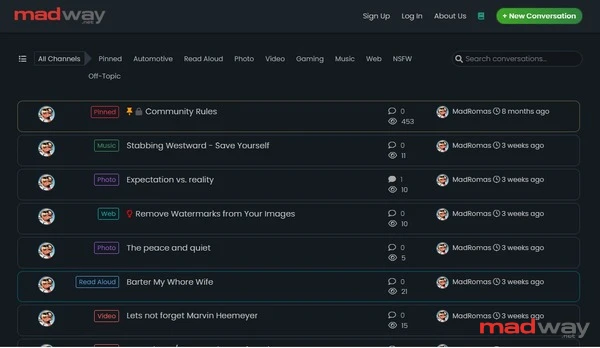
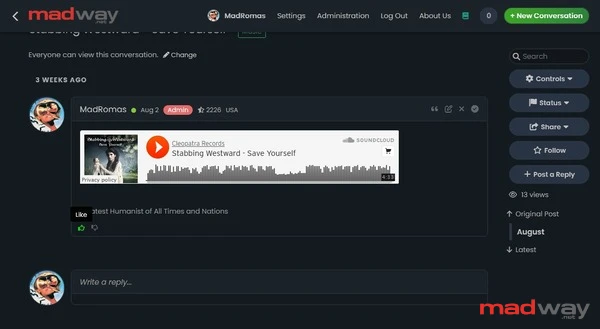
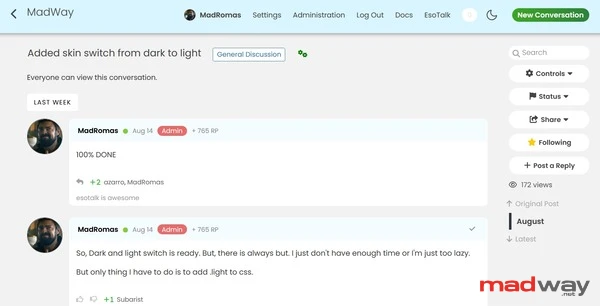
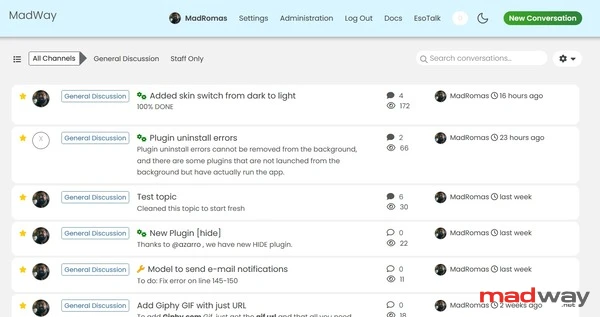
esoTalk – Fat-free forum software
esoTalk is a free, open-source forum software package built with PHP and MySQL. It is designed to be:
- Fast. esoTalk's code was architectured to have little overhead and to be as efficient as possible.
- Simple. All of esoTalk's interfaces are designed around simplicity, ease-of-use, and speed.
- Powerful. Despite its simplicity, a large array of plugins, skins and languages are available to extend the functionality of esoTalk.
{brands%github} https://github.com/madromas/esoTalk-v3
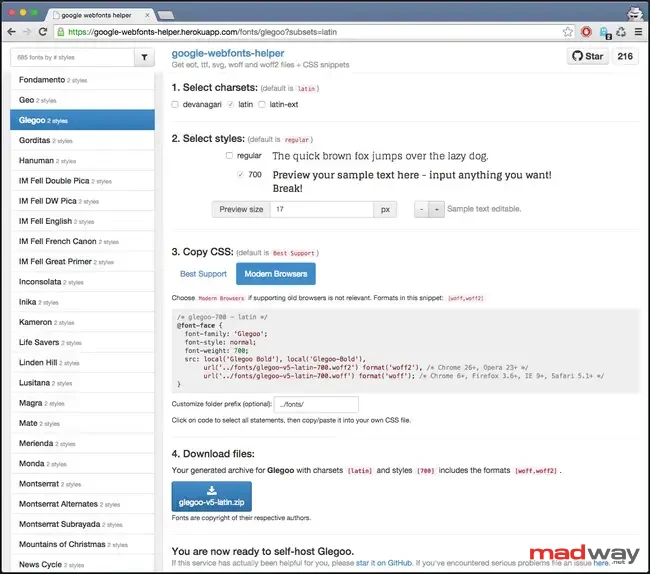
Introducing google-webfonts-helper
Let’s be clear: hosting Google web fonts in a GDPR compliant way on your own server requires significant effort. You’ll need to download all the necessary .eot, .woff, .woff2, .ttf, and .svg files, upload them to your server, and then add the corresponding CSS snippet.
Sounds simple? It would be, if Google offered direct download links for the files and a ready-made CSS for self-hosting. Since they don’t, and to avoid relying on font generation tools like Font Squirrel, I created a service called google-webfonts-helper to streamline the process.
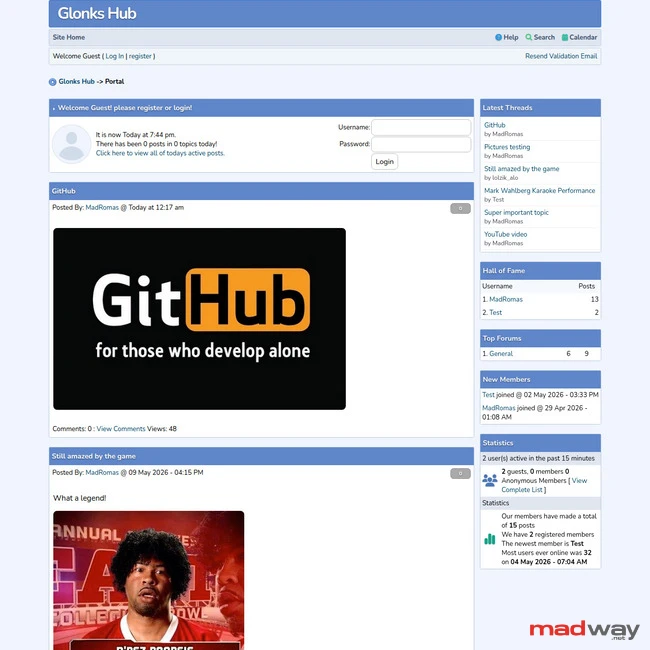
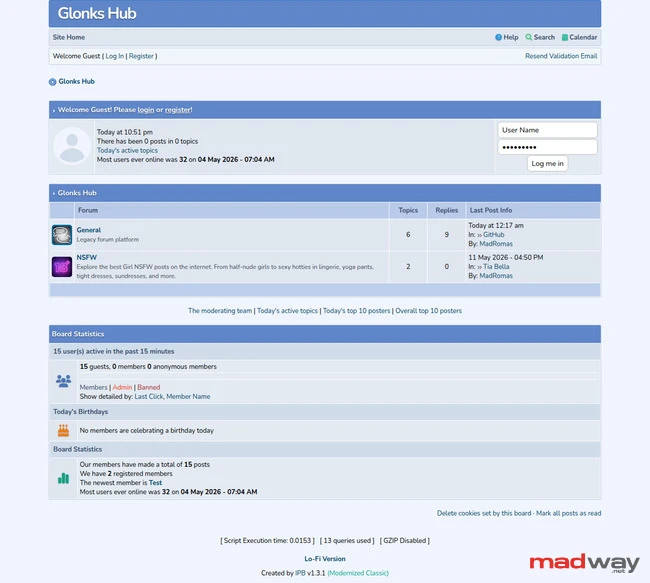
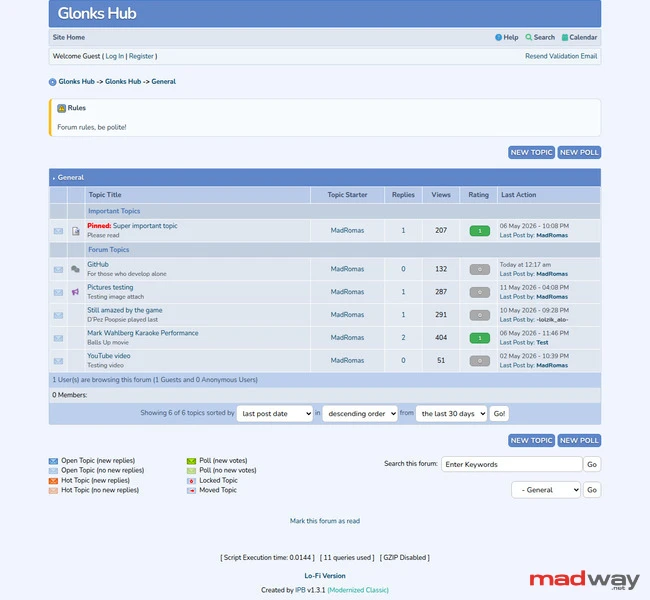
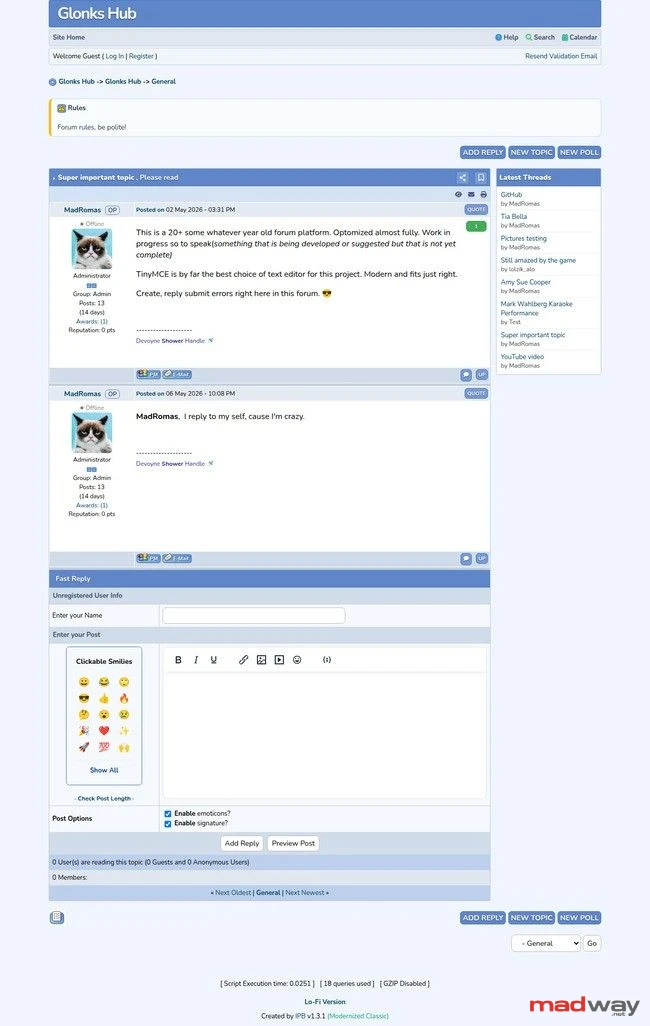
A modernized distribution of Invision Power Board 1.3, fully patched for PHP 8.4 and MariaDB compatibility. This project preserves the classic, lightweight «pre-bloat» UI of the early 2000s while ensuring it runs securely and efficiently on modern server stacks.
Key Features
- PHP 8.4 Ready: Comprehensive patches for legacy code to eliminate deprecated function errors and syntax issues.
- MySQLi Implementation: Replaced the legacy mysql driver with mysqli for modern database connectivity.
- MariaDB Support: Optimized for MariaDB and MySQL 8+ environments using utf8mb4 encoding by default.
- Slim Installer: A streamlined sm_install.php that handles environment checks, mysqli configuration, and admin setup.
- Performance Focused: Maintained the original lightweight footprint with native CSS and minimal JavaScript dependencies.
Modern Enhancements
- IBF Portal 4.0: Fully integrated portal system to transform your forum into a community hub.
- TinyMCE Integration: Replaced the legacy posting interface with a modernized TinyMCE editor for a better rich-text experience.
- HTML Purifier: Integrated a modernized standalone security engine to protect against XSS and fix broken HTML tags.
- Security Patches: Fixed legacy issues with search result insertions and anti-spam image generation.
- OP (Original Poster) Identification: Implemented a specialized «Author» badge in the topic view (postbit).
- Real-time User Presence: Integrated a dynamic Online/Offline status indicator for every user profile in the forum view.
- Lofi Version 2.0: Completely overhauled the legacy text-only lofiversion with quick reply and login.
- Forum Icon Customization: Developed a modular system to override standard folder icons with custom GIFs assigned via the Admin CP.
- Reputation System: Added community rating engine, that allows users to vote on each other's profiles and leave comments explaining their feedback.
- Advanced Topic Ratings: Replaced the legacy star-based system with a streamlined, AJAX-ready voting engine integrated directly into the first post for increased user engagement.
- Warn Users by %: Increase or decrease user warning lavel.
- PHP -> HTML Converter: Converter of php links to html links. For search robots, catalogs, and better indexing of your forum.
- Awards System: Allows you to add, delete, and edit awards for users from the admin panel.
- Favorites System: Enhanced user bookmarking. Manage your favorite topics.
Installation
- Upload: Upload the repository files to your web directory.
- Configure: Run sm_install.php in your browser.
- Security: Once the conf_global.php is generated, delete sm_install.php and database.sql from your server immediately.
UI/UX Philosophy
This project stays true to the «classic» aesthetic. We prioritize the original Invision Power Board 1.3 layout over «modern» social-media-style interfaces, ensuring the board remains fast, familiar, and highly customizable.
{brands%github} GitHub: https://github.com/madromas/IPB-1.3-PHP8-Modernized
Developed & Maintained for the Modern Web.
Why am I spending late nights deep in the guts of 15-year-old code? Because modern web development has become a bloated, slow-motion wreck.
I’m porting legendary legacy scripts to modern standards because they were built when every kilobyte actually mattered. We're talking about platforms that weigh 10,000 times less than today's «modern» frameworks but deliver 100,000 times the speed and raw function.
The MadWay Mission:
- Zero Bloat: Stripping away the decade of digital fat.
- Modern Vitals: Dragging old-school logic into the era of modern PHP, Core Web Vitals.
- Digital Preservation: Making sure the «simpler times» of the web don't just survive—they outperform.
- Open Access: Available for anyone and not forgotten.
I’m not just fixing bugs; I'm proving that you don’t need a massive footprint to have a massive impact. Keeping the web fast, lean, and light.
Hooray! Everything is read.
No more pages to load


